User guide
Git Profile Awaken draws your GitHub activity as the System window from a LitRPG: ranks from E to EX measured against real GitHub players, a level, a job class, titles you earn, twenty-five achievements, and your last year of contributions played as a small game. Pick one of ten README layouts and the Action arranges everything for you. This guide covers setting it up, every option, and what to do when something looks wrong.
How it works#
There are two ways to use it.
The GitHub Action (recommended). A workflow in your profile repository runs once a night. It reads your GitHub data, draws every widget as an SVG in both a dark and a light version, saves them in your repository, and rewrites one marked block of your README. Nothing depends on an outside server, the images load instantly, and you get the widgets that need more data (commit hours, achievements based on them).
The hosted endpoint. You paste image URLs into your README and a server draws each widget when someone views it. It is quicker to try, but the first view of a new profile waits for a few seconds of GitHub queries, and commit hours are not available.
Set up the Action#
You need your profile repository: the public repository named exactly like your username (for example octocat/octocat). Its README is what GitHub shows on your profile page. Create it if you do not have one.
1. Add awaken.json#
At the root of the profile repository:
{
  "username": "YOUR_USERNAME",
  "layout": "default",
  "theme": "solo_leveling",
  "activity": "arise",
  "title": "auto",
  "timezone": "Asia/Ho_Chi_Minh"
}
The configurator on the website writes this file for you.
2. Add the workflow#
Create .github/workflows/awaken.yml:
name: Awaken

on:
  schedule:
    - cron: "10 17 * * *"
  workflow_dispatch:
  push:
    branches: [main]
    paths: [awaken.json]

permissions:
  contents: write

concurrency:
  group: awaken
  cancel-in-progress: true

jobs:
  awaken:
    runs-on: ubuntu-latest
    steps:
      - uses: actions/checkout@v4
      - uses: billtruong003/git-profile-awaken@main
The workflow runs every night, whenever you change awaken.json, and whenever you start it by hand from the Actions tab.
3. Mark where the widgets go#
Put these two lines in your README.md, where the widgets should appear:
<!-- AWAKEN:START -->
<!-- AWAKEN:END -->
Everything between them is replaced on each run, so do not edit inside the block. If the markers are missing, the block is added at the end of the README.
4. Run it once#
Open the Actions tab of your profile repository, pick Awaken, and press Run workflow. After about half a minute an awaken/ folder and the filled README block appear in a new commit.
Run it at night#
GitHub schedules are written in UTC. The nightly run should start a few minutes after midnight in your timezone, so that the daily quest and the streak see a finished day.
| Your timezone | Cron for 00:10 local time |
|---|---|
| UTC−8 (Los Angeles, winter) | 10 8 * * * |
| UTC−5 (New York, winter) | 10 5 * * * |
| UTC (London, winter) | 10 0 * * * |
| UTC+1 (Berlin, winter) | 10 23 * * * |
| UTC+5:30 (India) | 40 18 * * * |
| UTC+7 (Vietnam, Thailand) | 10 17 * * * |
| UTC+8 (Singapore, China) | 10 16 * * * |
| UTC+9 (Japan, Korea) | 10 15 * * * |
The configurator works this out from the timezone you pick. GitHub may start scheduled runs a few minutes late when it is busy; that is normal.
Set timezone in awaken.json to the same zone. It decides which hour each commit counts in, when the daily quest resets, and which day "today" is.
Configuration reference#
| Field | Default | What it does |
|---|---|---|
username | the repository owner | Whose profile to draw. |
theme | solo_leveling | One of the themes. |
title | auto | The title shown under your name, by achievement id. auto picks your highest-tier achievement. |
activity | arise | arise or raid. See Activity. |
icons | rune | Skill icons: rune draws one rune per class; brand uses language logos where one exists. |
motion | full | full loops the glow, pulse and flicker; calm plays each entrance once and stops; none draws still images. |
timezone | UTC | An IANA zone such as Europe/Berlin or Asia/Tokyo. |
hours | true | Read your commit times. Needed for Hunting Hours, Night Owl and Early Bird. Turn it off to make runs faster. |
layout | default | How the README block is arranged. See Layouts. |
bento | With "layout": "bento": your own rows, e.g. [["hunter"], ["bio", "career", "web"], ["activity", "oracle"]]. Up to 10 rows of 1 to 4 widgets; each row is scaled to fill the width, so three tiles in a row draw smaller. | |
widgets | Only with "layout": "custom": which widgets to draw, in README order. Giving widgets without a layout means custom, as in v2. | |
socials | [] | Up to 12 { "type", "url", "label" } links for Guild Contacts. type is a simple-icons slug (youtube, x, discord, linkedin…) or website, email, codepen, link. |
banner | auto | { "lines": [...], "style": "auto" }. Up to 6 lines of 70 characters. style is typewriter, glitch, system, or auto (the layout decides). Without lines the banner greets you with your class and level. |
bio | {} | role, focus, location (60 characters each) and about (220). |
arsenal | your languages | Up to 24 technologies for the Arsenal inventory, by name or slug ("Unity", "nextjs", "PostgreSQL"). 602 logos; anything else becomes a monogram. |
spotlight | pinned | Repositories for Repo Spotlight, "name" or "owner/name". Empty means your pinned repositories. |
feeds | [] | Up to 4 RSS or Atom feeds for the Quest Board: a blog, or a YouTube channel (https://www.youtube.com/feeds/videos.xml?channel_id=…). |
quotes | builtin | The Oracle Scroll's quote of the day: builtin (famous lines about software), dry (40 dry developer jokes), or a list mixing those names with your own { "text", "author" }, e.g. ["dry", { "text": "…", "author": "Me" }]. |
career | [] | Up to 6 { "role", "org", "years", "current" } entries for the Career Log. |
cv | Your résumé: a file in the profile repository ("cv.pdf") or an https:// link. Adds the CV link and a download rune. | |
outDir | awaken | The folder for the SVGs. |
readme | README.md | The file whose block gets replaced. null leaves your README alone. |
Mistakes in awaken.json stop the run with a message that lists every problem at once, for example "theme" must be one of: ….
Viewers who turned on reduced motion in their operating system always see still images, whatever motion says.
Layouts#
Set "layout" in awaken.json. Zero-config layouts work with only your username. The others draw their extra widgets once you fill in the fields they use; until then those widgets are left out, so nothing shows empty.
| Layout | Needs | What it shows |
|---|---|---|
default | nothing | Level Up (on days something changed), hunter card, rank ladder, stat web and skills, the year, quest and log, spotlight (your pinned repositories), oracle and daily quest, runes. |
classic | nothing | Hunter card, status window, quest and skills, log and combat, runes. |
stats | nothing | Status window, rank ladder, combat and hours, achievements, runes. |
activity | nothing | ARISE and Dungeon Raid, daily quest and log, hunter card. |
bento | nothing | One image on a grid: card, ladder and web, skills, quest and today, the year, log, combat and hours. |
bento_compact | nothing | One image: card, ladder and today, the year. |
minimal | socials | Banner, hunter card, contacts. |
showcase | socials | Glitch banner, the year, Level Up, spotlight, contacts. |
dashboard | bio, feeds | Banner, bio and skills, quest and log, today and your latest posts, the year. |
portfolio | bio, career, cv, socials, arsenal | Glitch banner, bio and career, arsenal, spotlight, contacts, CV. |
custom | widgets | Your own list, in order. |
Full-width widgets get a line each, half-width ones pair up, runes and contacts go four to a line. Spotlight cards, contacts and the CV are links. The Bento layouts are one SVG: spacing is exact on every screen, but the whole block is one link.
Widgets#
| Id | Width | Shows |
|---|---|---|
hunter | full | Hunter rank with your top share, level, class, equipped title, the six stats. |
status | full | Level, overall rank and top share, the rank ladder, the six stats with the value for the next rank, and the stat web. |
ladder | full | E to EX on a log scale of the top share, with you and each stat marked. |
web | half | The six stats as a web on the percentile scale, with rings where A, S, SSS and EX begin. |
levelup | full | What changed since the last run: level, ranks, achievement tiers. Only on days something changed. |
banner | full | A typewriter, glitch or system banner. |
contacts | rune | One linked card per entry in socials. |
arsenal | full | Equipped: your top languages. Inventory: your arsenal, on shelves by kind. |
spotlight | half | One linked card per spotlight repository (up to 4). |
bio | half | Role, focus, base, class and a short about. |
career | half | Your career log, with the CV link. |
cv | rune | A linked download rune for your résumé. |
board | half | The latest posts from your feeds. |
oracle | half | A quote of the day. |
arise, raid | full | One activity style regardless of activity (the Activity layout shows both). |
achievements | full | Your equipped title and all twenty-five achievements with their tiers. |
activity | full | Your last year as ARISE or Dungeon Raid. |
quest | half | Your most recently pushed repository as the active quest. |
skills | half | Your top languages by code size. |
contribution | half | The year's total, daily average, current and best streak, and the last 16 weeks. |
combat | half | Pull requests merged into other people's repositories, pull request accuracy, reviews, repositories opened, active days, best day, organizations. |
hours | half | A 24-hour clock of your commit times, and contributions per weekday. |
daily | half | Today's daily quest, or the Penalty Zone after a day without contributions. |
runes | rune | One card per stat. |
Stats, ranks and level#
Ranks are percentiles. We sampled 1,080 regular GitHub players at random (accounts with 10 or more contributions in the past year, out of 5,484 active ones) and fitted each stat. Your rank says where you stand among them, and the widgets show it as a top share: TOP 2.0% means 2% of regular players have more.
| Rank | E | D | C | B | A | S | SS | SSS | EX |
|---|---|---|---|---|---|---|---|---|---|
| From the top | 60% | 40% | 25% | 13% | 6% | 2% | 0.5% | 0.05% |
Ranks from A up carry effects that grow with the tier: A glows, S pulses, SS shimmers, SSS burns, EX adds a prism and sparks. The rank ladder carries the same effects on each segment.
| Stat | Counts |
|---|---|
| STR | Commits, every year since you joined |
| AGI | Pull requests you opened |
| INT | Issues you opened |
| VIT | Repositories you committed to in the last year |
| LUK | Stars on your repositories |
| CHA | Followers |
Under each stat a thin bar shows how far you are through the rank, and the value that reaches the next one. Your overall rank ranks your combined score among the same players: each stat's percentile becomes a z-score, weighted (STR counts double, AGI and LUK one and a half times), and the mean is placed among the sampled players. Someone far ahead on one stat is not capped at the top of the ladder.
Your level comes from EXP, which every kind of contribution adds to: commits, pull requests (more if they were merged into someone else's project), reviews, issues, active repositories, stars and followers. Each level needs a little more EXP than the one before.
Activity#
ARISE. A violet wave sweeps across your last 53 weeks. Every day with at least one contribution rises as a shadow knight as the wave passes. Days with ten or more contributions rise as glowing marshals, the elites of your army.
Dungeon Raid. Your year is a dungeon. Each day with contributions holds a monster: a slime for 1–3, an imp for 4–9, a demon for 10 or more. A hunter clears the dungeon week by week. Your busiest week is the boss room; when the hunter reaches it, the boss HP bar drains and the room is cleared.
Achievements and titles#
Every achievement has three tiers. Tier I unlocks its title; set "title" to the achievement's id to wear it.
| Id | Achievement | Tiers |
|---|---|---|
relentless | Relentless | 100 / 1,000 / 5,000 commits |
unbroken | Unbroken | best streak of 7 / 30 / 100 days |
night-owl | Night Owl | 20 / 30 / 45 % of commits between 22:00 and 05:00 |
early-bird | Early Bird | 15 / 25 / 40 % of commits between 05:00 and 09:00 |
weekend-warrior | Weekend Warrior | 20 / 30 / 45 % of contributions on Saturday and Sunday |
gate-opener | Gate Opener | 5 / 20 / 50 repositories created in the last year |
raider | Raider | 1 / 10 / 50 pull requests merged into other people's repositories |
flawless | Flawless | 80 / 90 / 100 % of your pull requests merged (from 10 pull requests) |
healer | Healer | 10 / 50 / 200 reviews |
polyglot | Polyglot | 3 / 5 / 8 languages making up at least 1% of your code |
star-collector | Star Collector | 10 / 100 / 1,000 stars |
beacon | Beacon | 10 / 100 / 1,000 followers |
guild-hopper | Guild Hopper | member of 1 / 3 / 7 organizations |
veteran | Veteran | 1 / 3 / 5 years on GitHub |
berserker | Berserker | 10 / 30 / 60 contributions in one day |
diligent | Diligent | 50 / 150 / 300 active days in the last year |
pull-shark | Pull Shark | 2 / 16 / 128 pull requests merged |
quickdraw | Quickdraw | 1 / 5 / 25 pull requests or issues closed within 5 minutes of opening (last 100 of each) |
yolo | YOLO | 1 / 10 / 50 pull requests merged without a review (last 100) |
daily-grinder | Daily Grinder | 7 / 30 / 100 perfect days (every daily quest cleared) |
perfect-week | Perfect Week | 7 / 14 / 30 perfect days in a row |
quest-hunter | Quest Hunter | 50 / 250 / 1,000 daily quests cleared |
boss-slayer | Boss Slayer | 1 / 10 / 50 weekly bosses defeated |
escape-artist | Escape Artist | 3 / 10 / 25 escapes from the Penalty Zone the next day |
collector | Collector | 4 / 7 / 10 kinds of daily quest cleared |
The daily quest titles count from your first Action run: their history lives in awaken/player.json, so nothing before that run is counted, and the hosted endpoint shows them as needing the Action. Pull Shark, Quickdraw and YOLO are inspired by GitHub's own badges but judged by this project; GitHub has no API for its badges.
If you ask for a title you have not earned yet, the widgets show your best earned title instead and the run log says so.
The daily quest and the Penalty Zone#
Every day has three easy quests, in your timezone: make one contribution (always, it is your streak) and two more drawn from the pool below. The draw is different every day and for every player, and the same on every run.
| Quest | Cleared with |
|---|---|
| Land 3 contributions | 3 contributions that day |
| Commit to any repository | 1 commit |
| Commit to 2 repositories | commits in 2 repositories |
| Beat your daily average | at least your average per day over the year (2 or more) |
| Star a repository you like | 1 star given |
| Open an issue | 1 issue: a bug, an idea, a question |
| Keep a 3-day streak | contributions on 3 days in a row |
| Keep MP at 14 | 14 contributions over the last 14 days |
| Weekend raid (Saturday and Sunday only) | 2 contributions |
The nightly run happens just after midnight, so the widget grades the day that just ended (CLEARED 2 / 3) and lists today's quests underneath. Clear all three and it reads Quest Complete. The weekly boss falls when you have been active on 4 days of the week (Monday to Sunday).
A day with no contributions sends you to the Penalty Zone: the widget turns red, counts the days you have spent there, and shows how to get out (one contribution).
Today never breaks your streak while it is still going on; the streak only resets once a day ends without a contribution.
Themes#
System: solo_leveling (the default), shadow_monarch, red_gate, frost_elf, demon_castle, hunter_association, daylight.
Cultivation (Tu Tiên): jade_sect, crimson_sect, celestial_gold, ink_wash (light in both modes).
Editor: cyberpunk, dracula, tokyonight, monokai, gruvbox, nord, synthwave, matrix.
Games: hollow_knight, genshin_anemo, genshin_geo, genshin_electro, elden_ring, nier, bloodborne, valorant, hextech, retrowave, abyssal, infernal.
Themes change the panels, text, frame and accent colors. Rank colors stay the same in every theme, so an S is always gold. Some themes come with their own light version; the rest use their dark version in both modes.
Private contributions#
The workflow's built-in token can read your public activity. To count private repositories:
Create a fine-grained personal access token with read-only access to the repositories you want counted (Contents and Metadata: read).
In your profile repository, add it under Settings → Secrets and variables → Actions as
AWAKEN_TOKEN.Pass it to the step:
- uses: billtruong003/git-profile-awaken@main
  with:
    token: ${{ secrets.AWAKEN_TOKEN }}
Your private repository names are never drawn on the widgets, but the active quest uses your most recently pushed repository; if that one is private and you do not want its name shown, use "layout": "custom" and leave quest out of widgets.
Hosted endpoint#
Each widget is also available as an image URL:
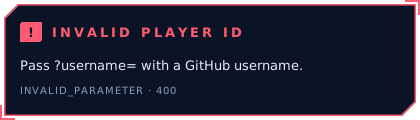
| Parameter | Values |
|---|---|
username | Required. |
widget | Any widget id, bento, or rune-str … rune-cha. Old links with widget=stat&target=STR and widget=skill still work. Widgets that draw awaken.json data or run history (levelup, spotlight, contacts, bio, career, cv, board) need the Action. |
layout | With widget=bento: bento (default) or bento_compact. |
theme | Any theme id. |
mode | dark (default) or light. |
activity, icons, motion, title, timezone | As in awaken.json. |
The server keeps every profile it has drawn and refreshes it each night, so after the first view the images load straight away. The very first view of a new profile can take a few seconds; if GitHub shows a broken image the first time, reload the page.
Troubleshooting#
The workflow fails with "Permission denied" or "403" when pushing. The workflow needs permissions: contents: write. Also check Settings → Actions → General → Workflow permissions in the profile repository.
The images on my profile did not change after a run. GitHub caches README images for a while. Open the SVG file in the repository to see the new version; the profile follows within a few minutes to an hour.
Commits are missing. GitHub counts a commit for you only when its author email is one of the emails on your account. Add the email you commit with under Settings → Emails. The active quest counts every commit in its repository, so it can show more than your contribution graph.
My title is not the one I chose. You have not reached tier I of that achievement yet. The run log names the title it used instead.
Hunting Hours says commit hours are off. Set "hours": true.
The run says my awaken.json has problems. The message lists each field and the values it accepts.
A widget from my layout is missing. It needs data you have not given yet (for example socials for contacts, feeds for the Quest Board), or, for Level Up, nothing changed since the last run. The run log lists the files it wrote.
An Arsenal item shows two letters instead of a logo. There is no logo for it in the catalog (several brands ask icon sets to remove theirs). The run log names those items.
Edit this page on GitHub